What it is
PyRunner is an automation app that brings Python to Jira Cloud. Similar to ScriptRunner, admins can write a script in the console and run it, or attach it to something that runs it for them. That might be a listener that fires on a Jira event, a job on a recurring schedule, a custom field that calculates its own value, a behaviour that changes how fields act on a screen, or a rule on a workflow transition.
The work that goes into a script is work you do once. After that it runs on its own, and the hours that used to go into bulk edits, weekly reports and chasing people for missing fields go somewhere better.
One language
Leading Jira automation tools split logic across Groovy, TypeScript, and proprietary expressions. With PyRunner, just Python, made simpler with a built-in Jira helper object for reading and writing data.
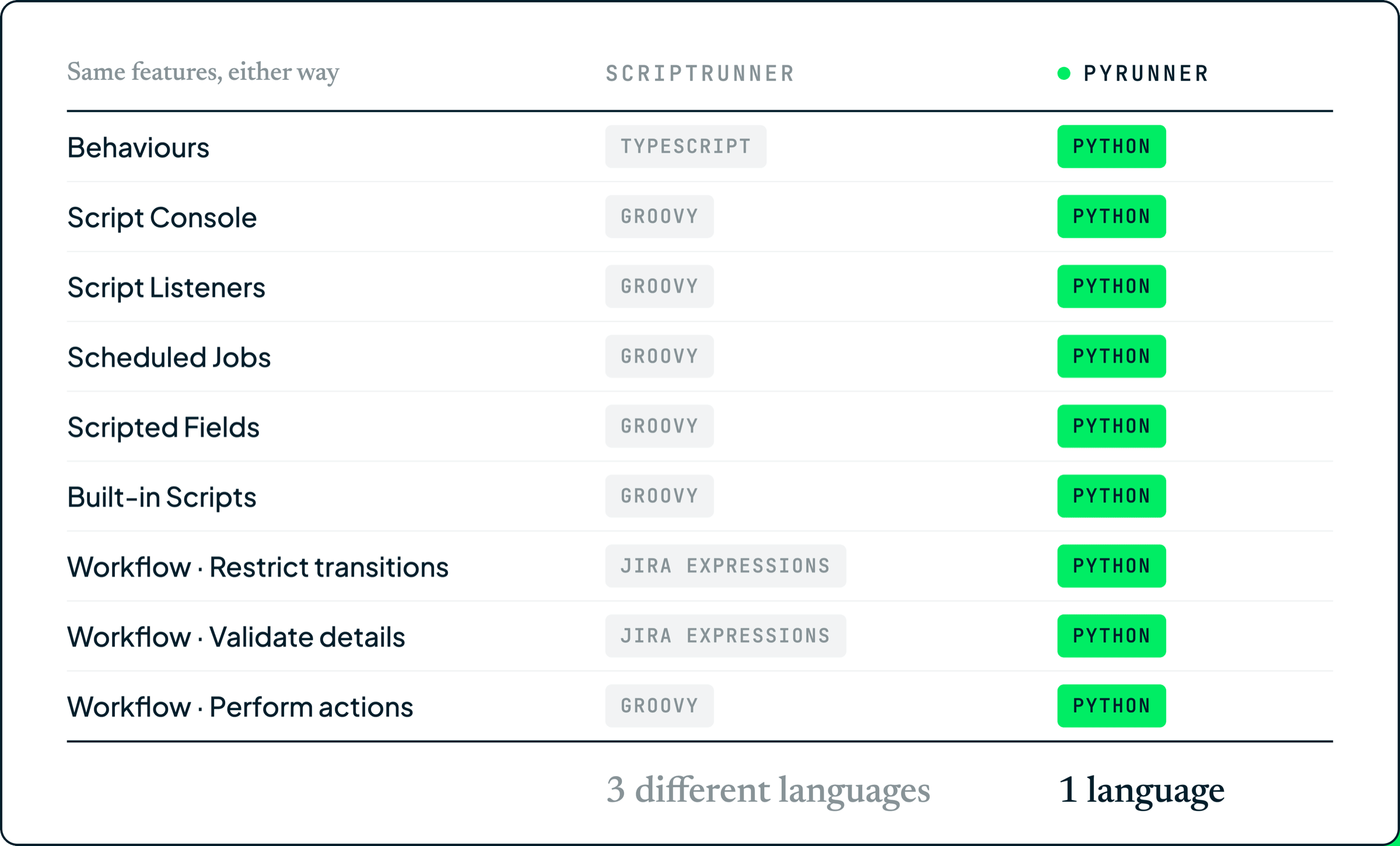
The helper object is there so the ordinary things stay short. Fetching a work item by key, searching with the same JQL you already write in Jira, reading a field, setting one, leaving a comment, moving something through a transition: each is a single line, and there is no client to set up and no authentication to manage before any of it works.
It all runs on Atlassian
Scripts run in a sandbox on Atlassian's own infrastructure, and everything you create is stored there too. No Jira data is sent anywhere else, which is one less third party in a security review, and your scripts inherit your site's data residency rather than sitting under a separate policy.
Running a real Python runtime inside Forge is new. Forge Containers is what made it possible, and it is the reason the app can offer the language properly rather than a cut-down version of it.
The console and the editor
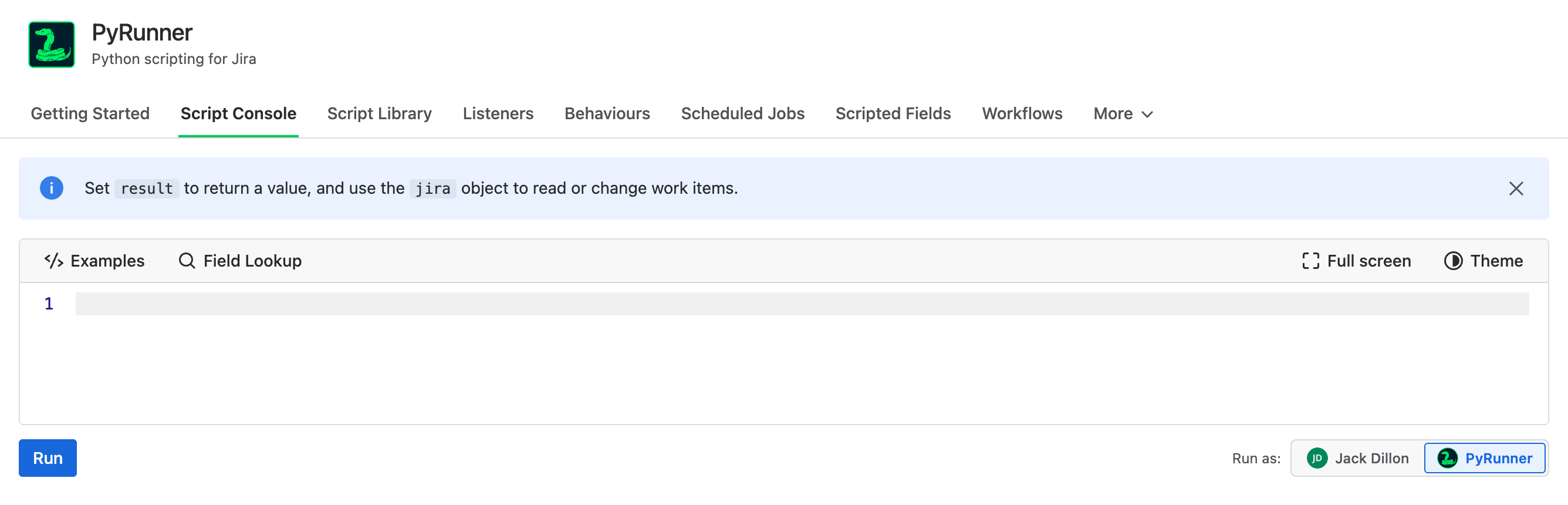
The console is where scripts start. Write one, click Run, and the result comes back underneath.
The editor is the part people notice first. It completes your own field names and your own JQL, because it reads the catalogue from your site rather than shipping a fixed list, and it flags mistakes before you run rather than after. Six themes ship with it, ported from the VS Code themes of the same names, and the one you pick follows you everywhere else in the app.
Built for data work
A script that reads a thousand work items should hand you something you can actually use. Python's two best known data tools, pandas and numpy, are built in and ready to go, so counting, grouping and averaging your work items takes a few lines rather than a page of setup.
Whatever your script returns comes back as a proper table. Columns sort the way you would expect, numbers and dates included, there's a search box across all of them, and every work item key is a link back to the item in Jira.
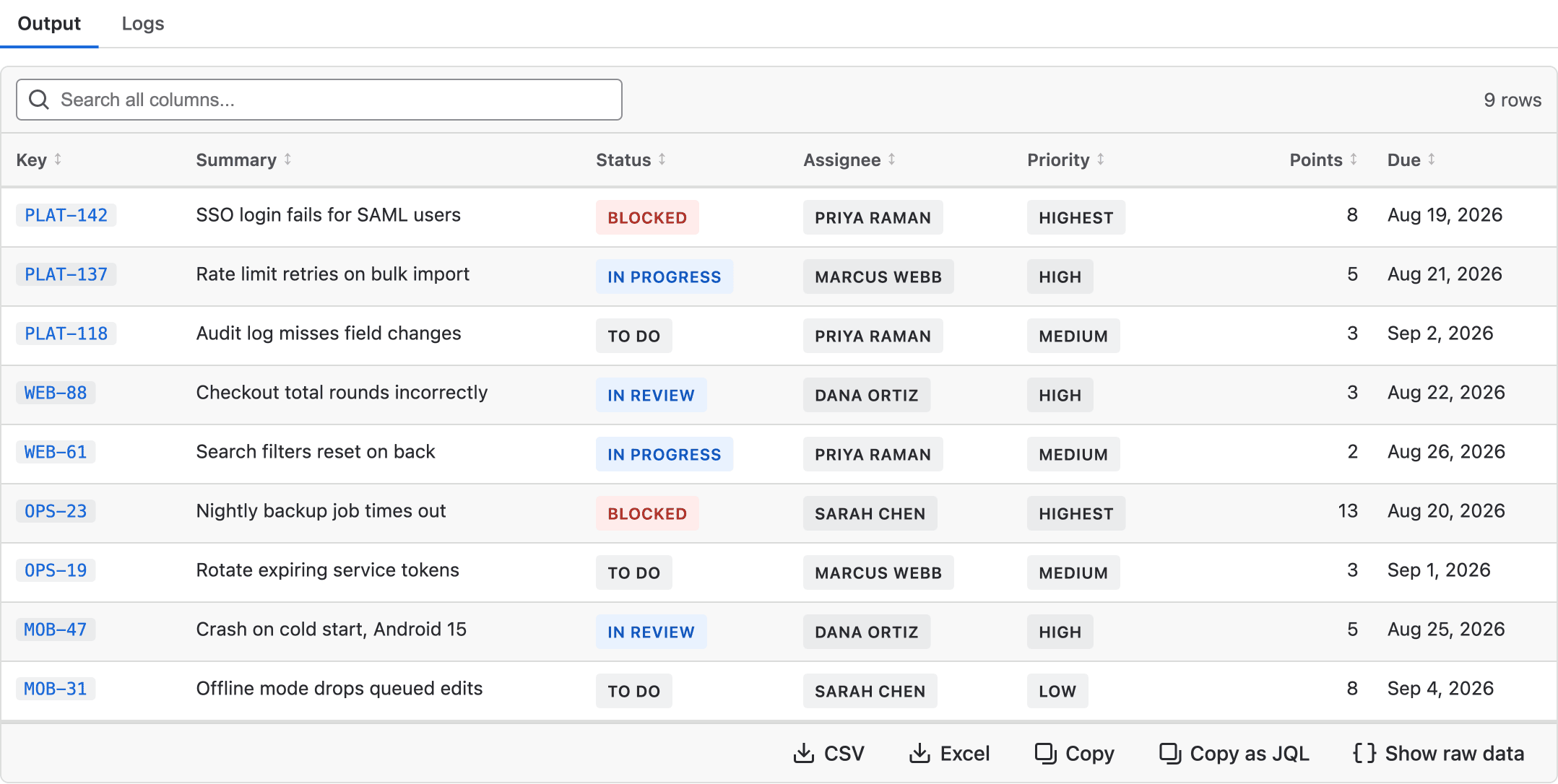
From there the result goes wherever you need it. CSV and Excel download every row your script found, not just the ones on screen. Copy pastes into a Jira comment as a formatted table, and into Excel or Sheets as proper cells. Copy as JQL turns the rows in front of you into a Jira search, so a script that finds problem work items becomes a bulk edit in two clicks.
Everywhere else a script can live
The console is where a script gets written. Everything else is a place to put one once it works.
Each of these ships with working examples you can drop straight into the editor, which is usually quicker than starting from scratch. The documentation covers each feature in full, with screenshots and scripts you can copy.
Try it
PyRunner comes with a 30 day free trial, and you can install it from its Marketplace listing. There's more about the app on our website, and the documentation is the fastest way to see what the scripts actually look like.
If you have questions or feedback, I'd genuinely like to hear about it. Reach me at jack@pallas-apps.com.