User Permissions
How Access Tokens Work
Power BI Connector for Jira preserves Jira's user permissions by using Atlassian access tokens. When you connect to Power BI, you authenticate with your Jira email and an Access Token. The connector then queries Jira on your behalf, using only the permissions associated with your account.
This means:
- Each user only sees the issues and projects they have permission to view in Jira
- No user can access more data in Power BI than they could by browsing Jira directly
Shared Connectors, Individual Access
Suppose James and Sarah both create a connector using the JQL filter created >= startOfMonth(). Since James has access to more projects, his matching issue count is higher — but the connectors themselves are identical. A connector only stores a JQL query, what gets returned is always scoped to whoever is connecting.
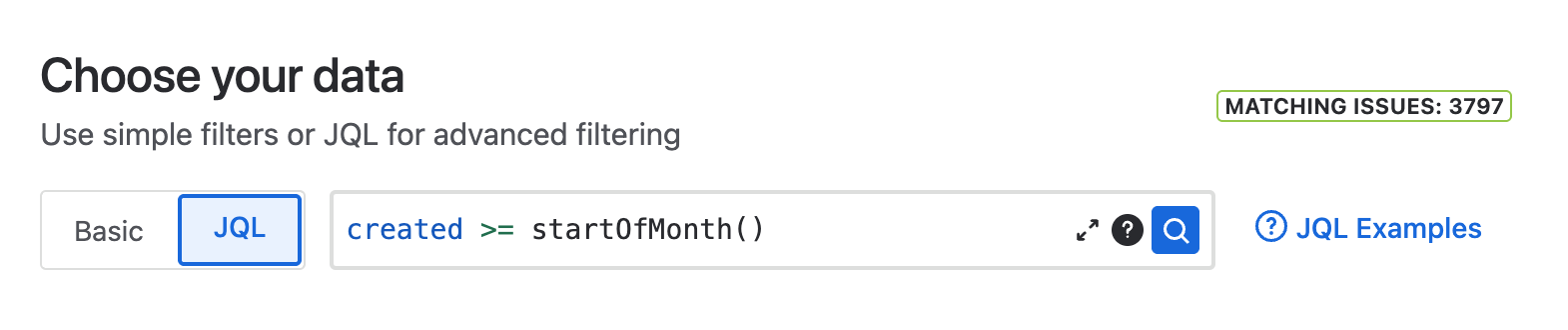
James — 3797 matching issues
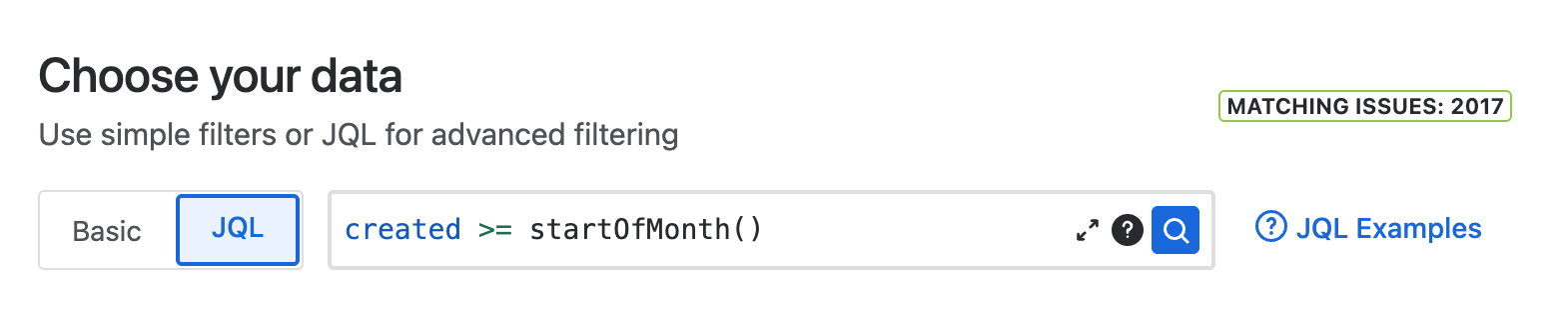
Sarah — 2017 matching issues
Power BI template files make this especially useful because users can share dashboard configurations without sharing data. For example, James can use Power BI Desktop to connect to the connector URL above and build the following visualizations.
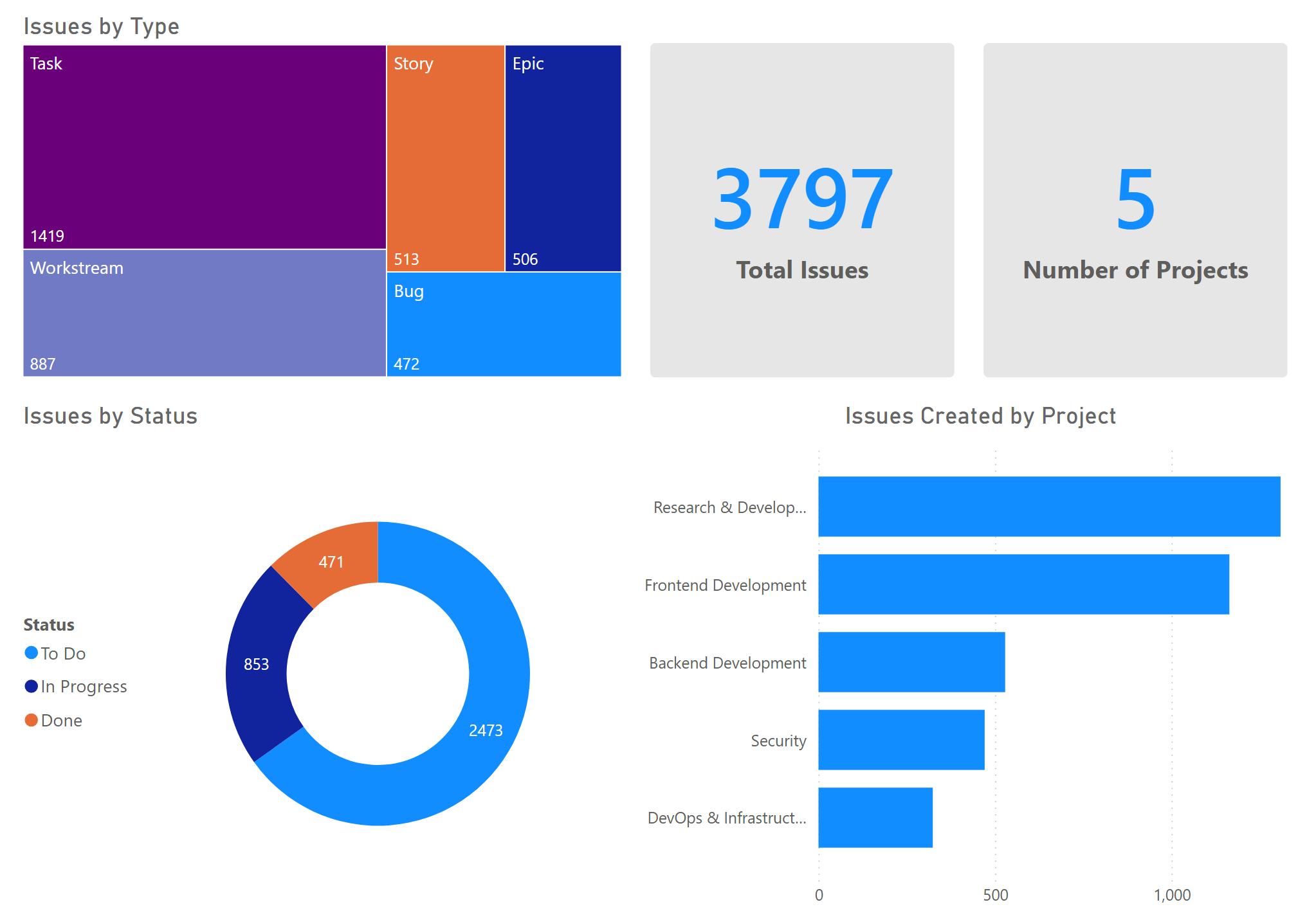
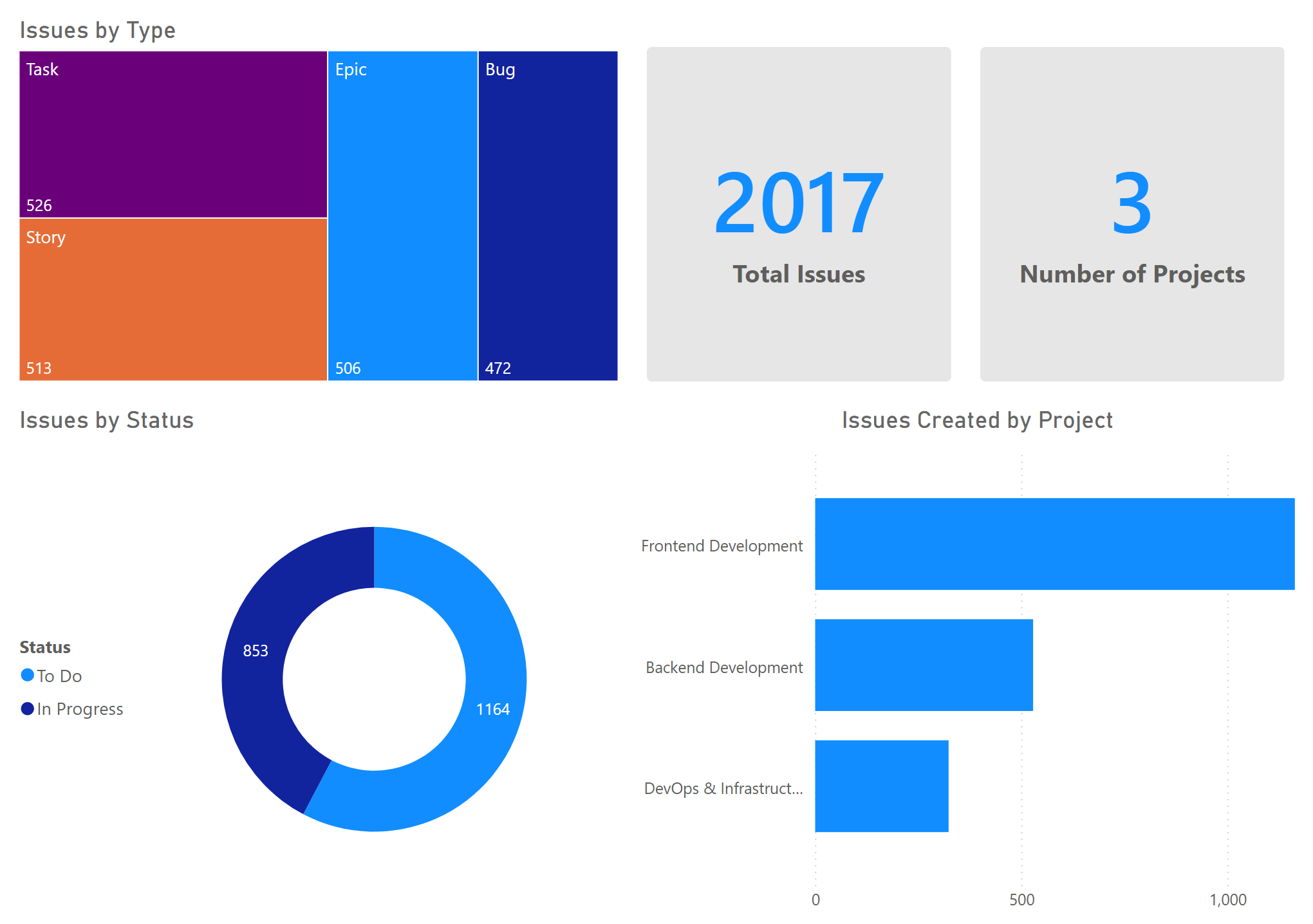
James can export his report as a template file (.pbit) and share it with Sarah. Sarah gets the same visualizations without having to build them manually, and Power BI will prompt her for her own Jira credentials so the data is scoped to her Jira account automatically.
Data Protection
Power BI Connector for Jira is registered with the Cloud Security Alliance (CSA) STAR Level 1 program, which provides transparency into our security practices and controls.
View our CSA STAR Registry entry →
How We Handle Your Data
Power BI Connector for Jira is designed to minimize data storage and processing. Here's how your data flows through our system:
- No Jira data storage: We don't store your issues, comments, attachments, or any other Jira content on our servers. We only store connector metadata (like your JQL query and selected field IDs) so we know what to fetch when you connect from Power BI.
- In-memory processing: When you refresh data in Power BI, we retrieve your Jira data, process it, and send it directly to Power BI—all in memory. We don't use a database to store this information.
- Encrypted transmission: All data transmitted between Jira, our connector, and Power BI is encrypted using TLS (Transport Layer Security).
- Atlassian access tokens: We use Atlassian's secure access token system for authentication, which allows you to control and revoke access at any time from your Atlassian account.
Compliance
Power BI Connector for Jira adheres to Atlassian's Developer Terms, which includes requirements for data handling, security, and privacy.
Security Questions?
If you have specific security questions or concerns, our team is here to help.