Attachments
Scripts can read, add, copy and delete the files attached to a work item. You refer to a file by its name, the same name Jira shows.
item = jira.work_item("PROJ-123")

text = item.attachment_text("build.log")          # read a text file
budget = item.attachment_table("budget.xlsx")     # read a CSV or Excel file as a table
image = item.attachment_bytes("dashboard.png")    # read any file as bytes

item.add_attachment("release-notes.txt", "2.4.0 adds single sign-on for enterprise accounts.")
item.delete_attachment("old-build.log")
Reading Files
attachment_text() returns a file's text. attachment_bytes() returns its raw bytes, for images, PDFs and other files. item.attachments lists every file, with its filename, size and author.
item = jira.work_item("PROJ-123")

names = [a["filename"] for a in item.attachments]

text = item.attachment_text("build.log")
errors = [line for line in text.splitlines() if "ERROR" in line]

result = {"attached": names, "error_lines": len(errors)}{
"attached": [
"budget.csv",
"build.log",
"dashboard.png",
"old-build.log"
],
"error_lines": 2
}If several files share a name, you get the newest. For a file saved by Excel on Windows, add encoding="cp1252".
Spreadsheets
attachment_table() reads a CSV or Excel file straight into a table, ready for pandas. In a workbook with several sheets, sheet="Q4" picks one.
budget = item.attachment_table("budget.xlsx")
result = budget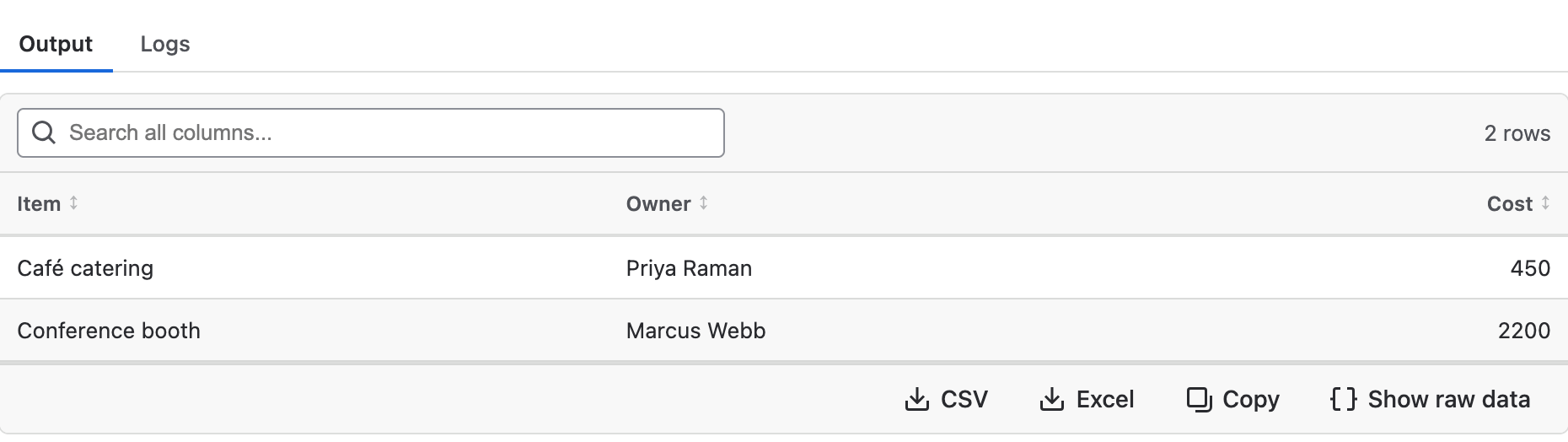
The table, read from budget.xlsx
Adding Files
Pass a filename and the content: text, bytes, or a table. A table is saved as a CSV or an Excel file, to match the filename.
item.add_attachment("release-notes.txt", "2.4.0 adds single sign-on for enterprise accounts.")

# A table becomes a real Excel file; replace=True swaps out the copy from the last run
item.add_attachment("open-work.xlsx", df, replace=True)
Like other changes, files are added when the script finishes. Each file can be up to 10 MB, and a run can add 10 MB in total.
Copying Files
copy_attachments_from() copies every file from another work item. It works on a work item your script creates in the same run, too.
target = jira.work_item("PROJ-124")
target.copy_attachments_from("PROJ-123")

new = jira.create_work_item("PROJ", "Task", "Follow-up")
new.copy_attachments_from(item)
Each file can be up to 10 MB. The Clone work item workflow template copies attachments this way.
Deleting Files
delete_attachment() removes every file with that name and returns how many it removed.
removed = item.delete_attachment("old-build.log")

result = f"Deleting {removed} file"Deleting 1 fileIn Listeners
In a listener on Attachment added, event.attachment is the new file. Two templates under Browse listener templates use it: Remove executable attachments and Summarize a spreadsheet when it is attached.
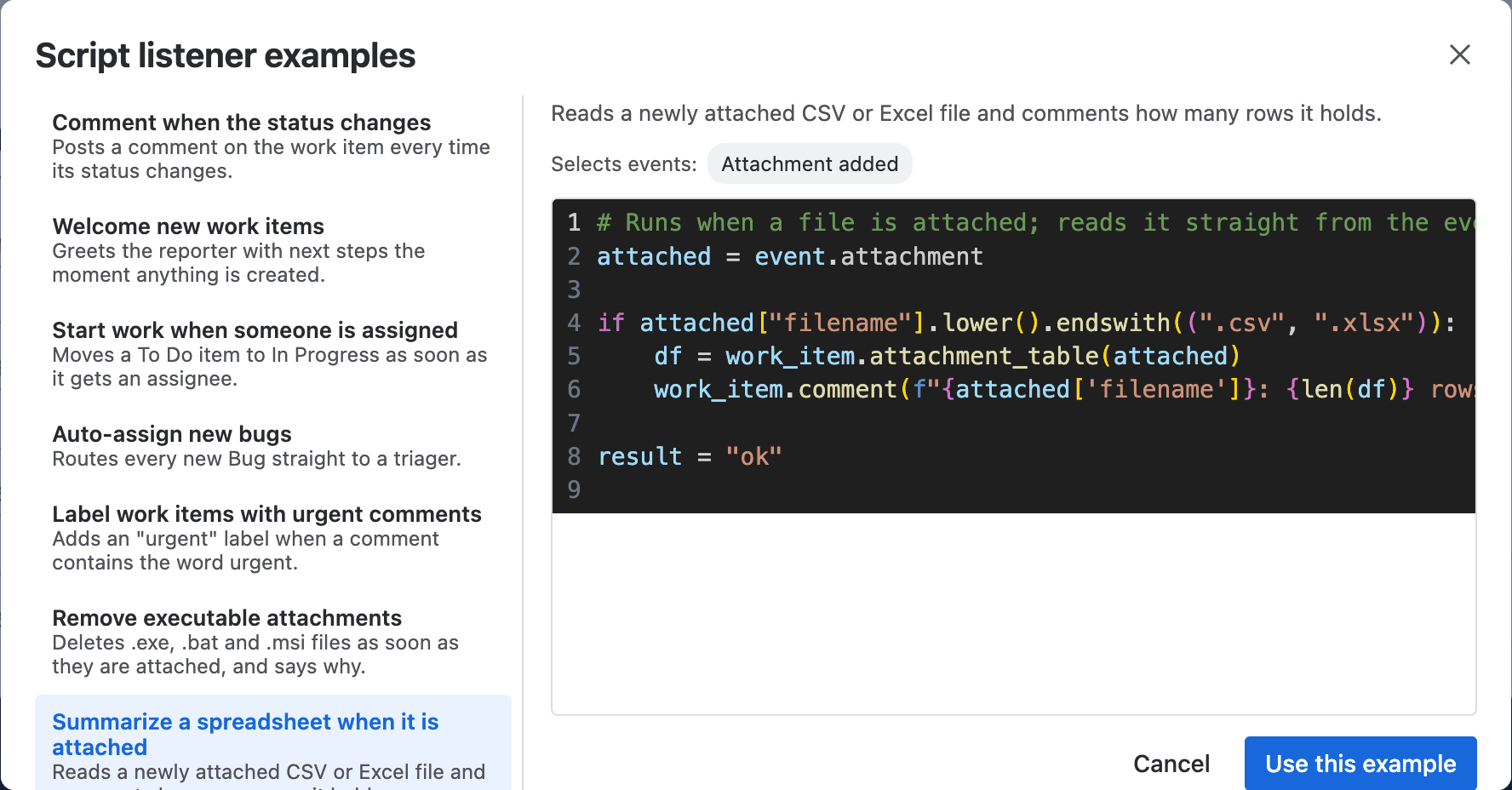
Summarize a spreadsheet when it is attached
Example
The Attach a report to a work item example in the Script Console attaches a spreadsheet of open work, replacing the last copy each time it runs.
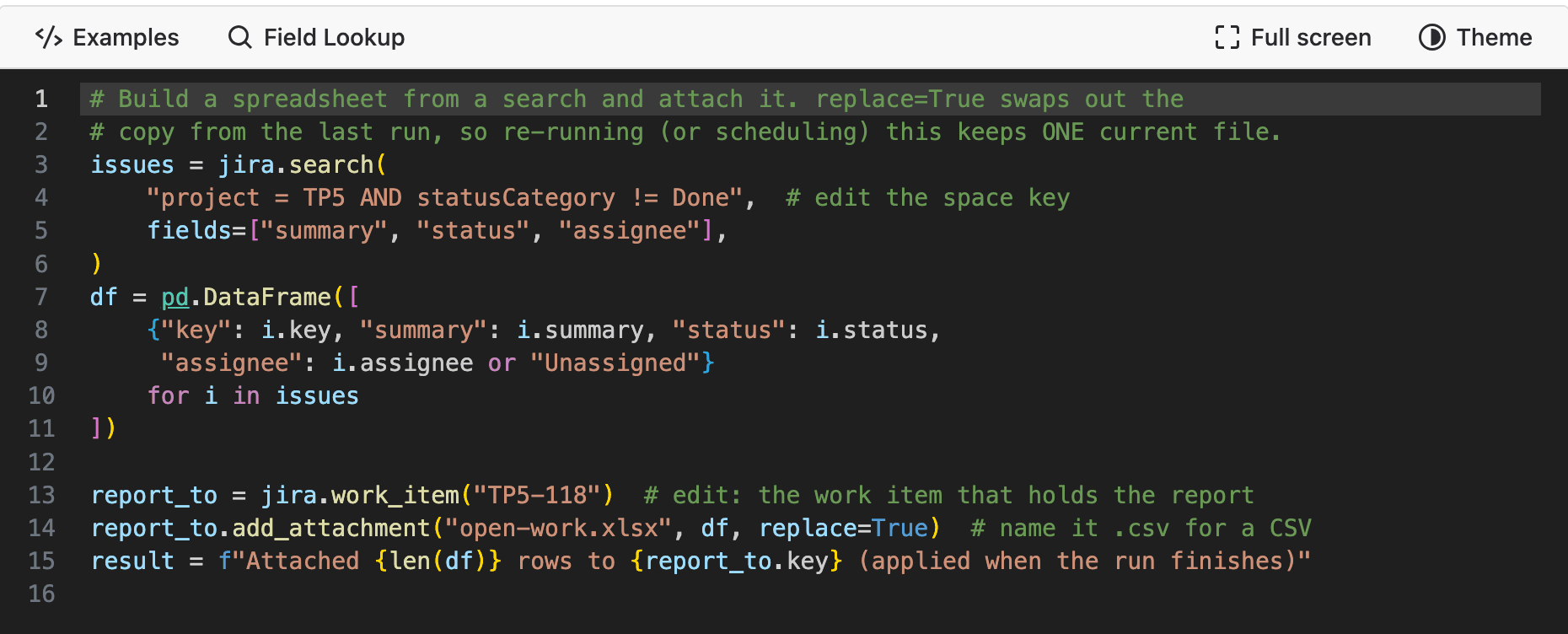
The script

A second run replacing the report
Need Additional Help?
If you have any questions or need assistance, our support team is here to help