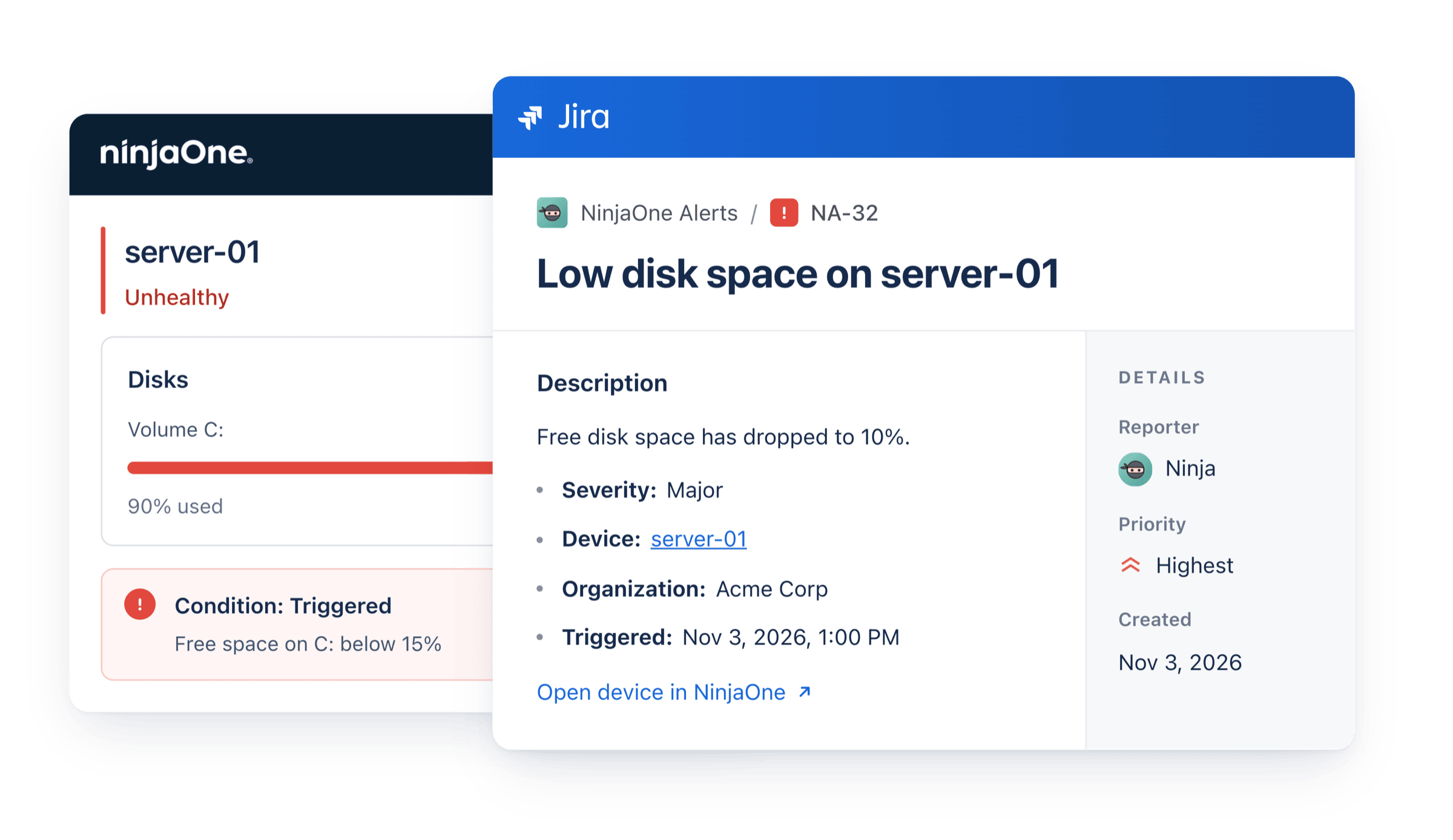
NinjaOne is usually the first to know something is wrong: a disk filling up, a server going offline, a patch that won't install. But the team's work lives in Jira, and NinjaOne doesn't connect to it out of the box. So alerts get copied across by hand, or sent in as emails that turn every alert and every repeat into a new ticket, or never tracked at all.
NinjaOne Connector for Jira replaces all of that. NinjaOne alerts become Jira and Jira Service Management work items automatically, with nothing to build or maintain. Only the alerts that matter get through, each problem gets one work item rather than one per repeat, and the work item is updated when the alert clears. It comes with the alert's details and a link to the device in NinjaOne, so whoever picks it up can start straight away.
How it works
You connect the app to NinjaOne once, with a client ID and secret from your NinjaOne account. The secret is encrypted, stored with Atlassian and only ever sent to NinjaOne. Then you choose the Jira space and work type for new work items.
From then on, the app checks NinjaOne about once a minute. Each new alert that gets through your filters becomes a work item, and your settings decide what happens when it fires again or clears. Alerts that were already active when you connected wait until you choose to add them.
Only what matters gets in
Not every alert needs a work item. You choose which ones do by severity, priority, organization and device type, and by condition, using the names from your NinjaOne policies.
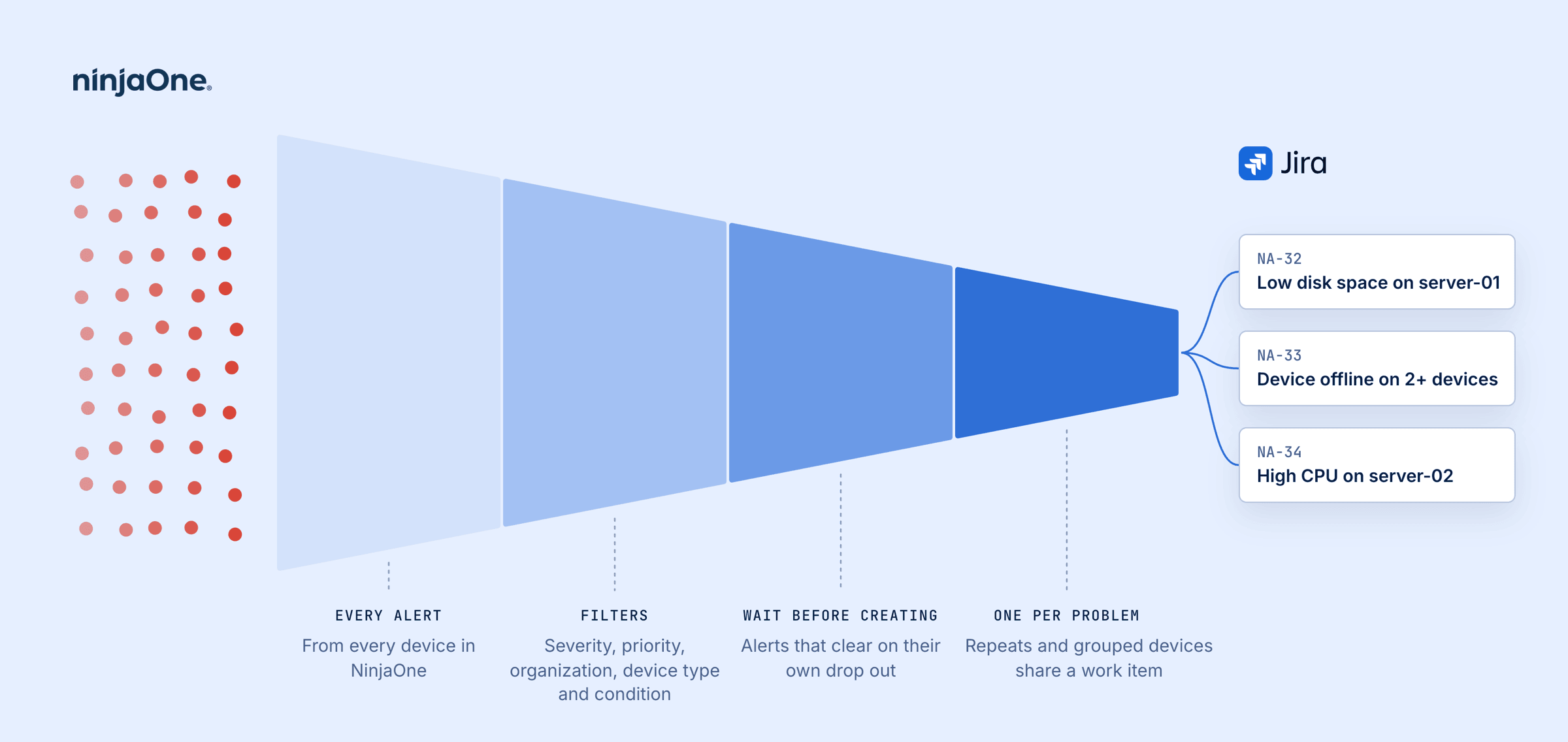
Wait before creating takes care of the alerts that fix themselves. Choose a wait between 2 minutes and 24 hours, and an alert that clears in that time never becomes a work item.
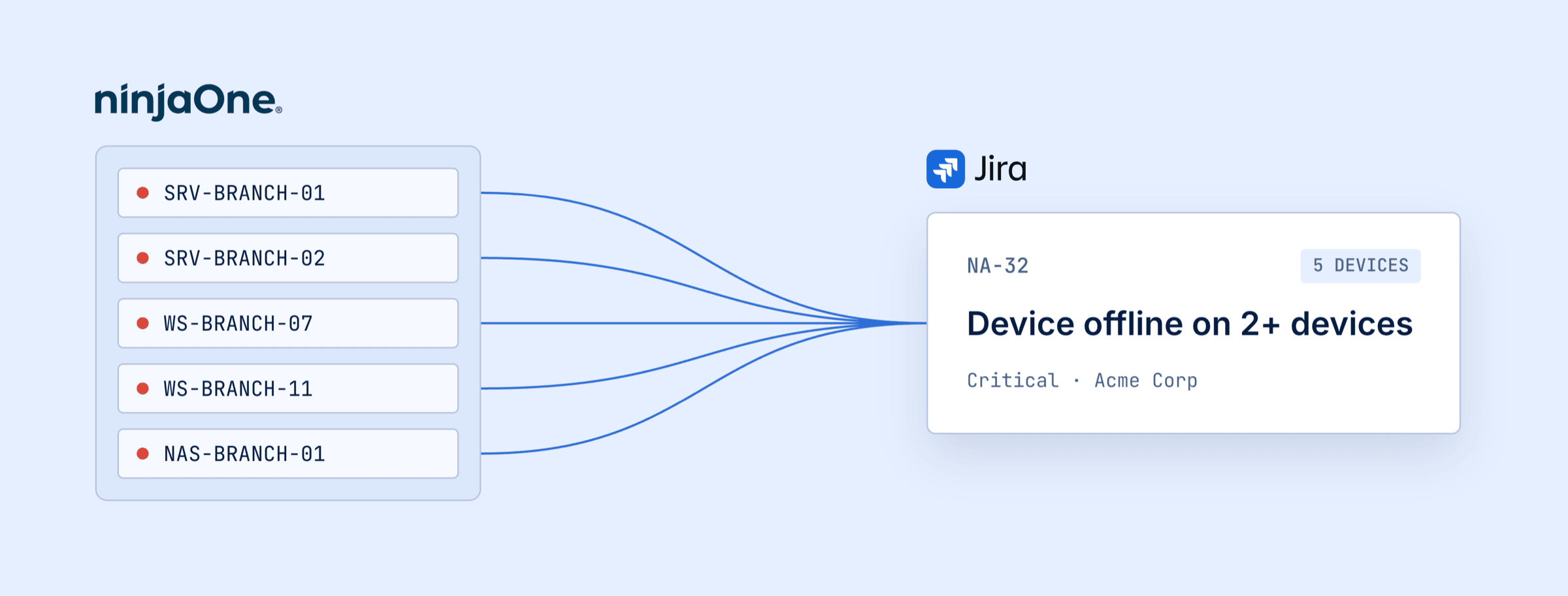
One problem, one work item. Each device and condition gets a single work item, and repeats while it's open don't create new ones, though they can add a comment or a count. When the same alert hits several devices in one organization within 5 minutes, they share one work item, and comments name the devices as they join. Failed patches are rolled up too, into one work item per device per day.
What your team sees
Each work item has a NinjaOne panel that shows whether the alert is still
active, whether the device is online, and a link to it. When a problem comes
back after its work item is done, the new work item is linked to the last one,
so each device builds up a history of its outages. You can search them with JQL
too: the query ninjaoneSeverity in (CRITICAL, MAJOR) finds the critical and
major ones, for a filter, board or dashboard.
In NinjaOne, a Jira work items field on each device can list its open work items, so technicians see what's already being handled before they start.
Two-way sync
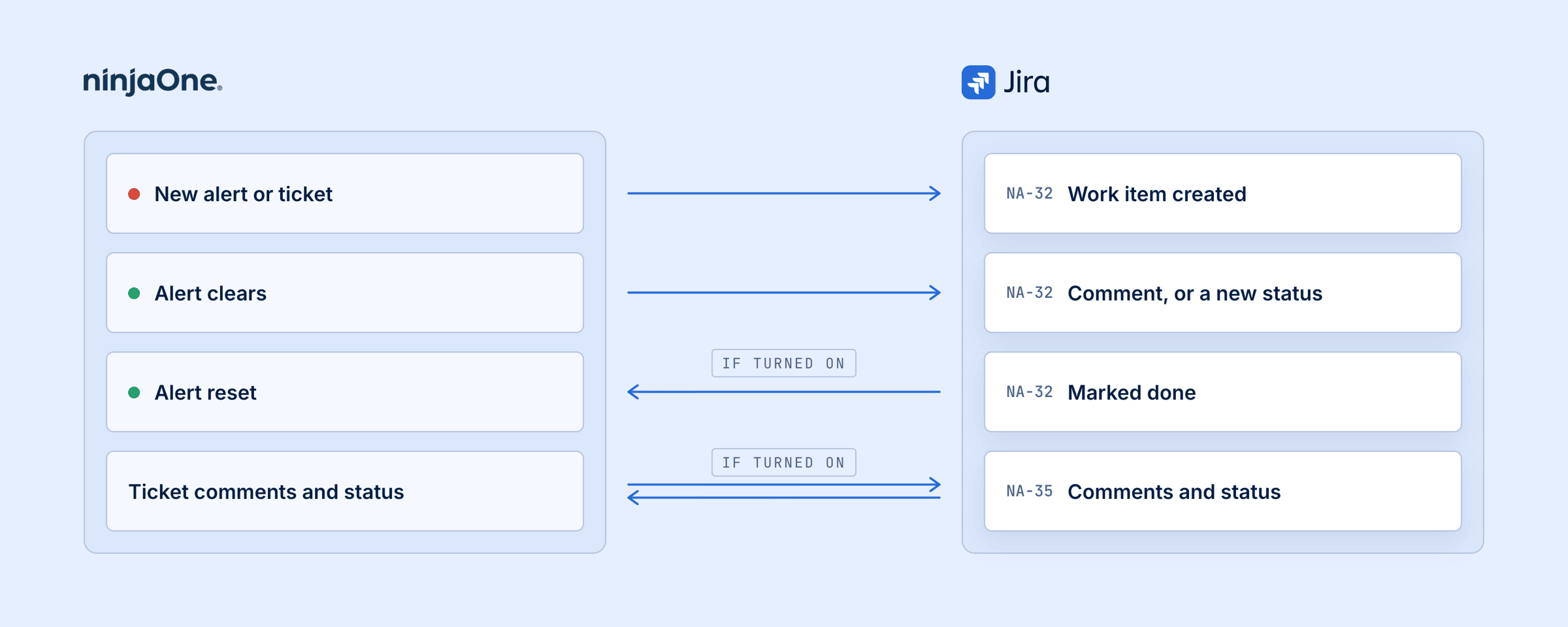
The work item and the alert stay in step. When an alert clears in NinjaOne, its work item gets a comment, and can move to a status you choose. When your team marks a work item done, the app can reset its alert in NinjaOne, so nobody has to do it by hand.
NinjaOne tickets can sync too. New tickets on a board you choose become work items, and comments and status go both ways.
For Jira Service Management
In a Jira Service Management space, alerts arrive as requests of the type you choose, in its queues, and the app's comments are internal notes.
If your site has Assets, the app can keep each NinjaOne device as an object there, with its organization, operating system, serial number, status and last contact, updated hourly. A device removed from NinjaOne is marked, never deleted.
For urgent problems, the app can also page your on-call team through JSM Operations. You choose which alerts do, for example critical only. A group of devices pages once, not once per device, and the alert in Operations closes when the NinjaOne alert clears.
More features
The rest is there when you need it.
See every feature in the documentation →
It runs on Atlassian Forge
The app runs on Atlassian Forge and talks straight to NinjaOne, with no servers of ours in between. Everything it keeps is stored by Atlassian, in the same region as your Jira data. Nobody can see your client secret, not Jira admins and not us.
Try it
NinjaOne Connector for Jira comes with a 30 day free trial, and you can install it from its Marketplace listing. There's more about the app on our website, and the documentation covers every setting.
If you have questions, or there's a new feature you'd like to see, reach me at jack@pallas-apps.com.