Scripted Fields
A scripted field is a custom field whose value comes from a Python script instead of from someone typing it. Days since the last comment, a weighted risk score, a total rolled up from child items, etc.
Whatever your script assigns to result becomes the field's value. Jira stores that value like any other field, so it shows on the work item, sorts on a board, and can be searched with JQL. It's read-only to people, so nobody can overwrite what the script works out.

A scripted field, calculating cleanly
Creating the Field in Jira
The custom field has to exist in Jira before you can attach a script to it. PyRunner doesn't create the field, it fills one in.
In Jira's field settings, create a custom field and choose one of our three types.
| Field type | Use it for |
|---|---|
| PyRunner Scripted Field (Text) | Names, statuses, any wording |
| PyRunner Scripted Field (Number) | Counts, scores, totals, durations |
| PyRunner Scripted Field (Date) | Dates worked out from other data |
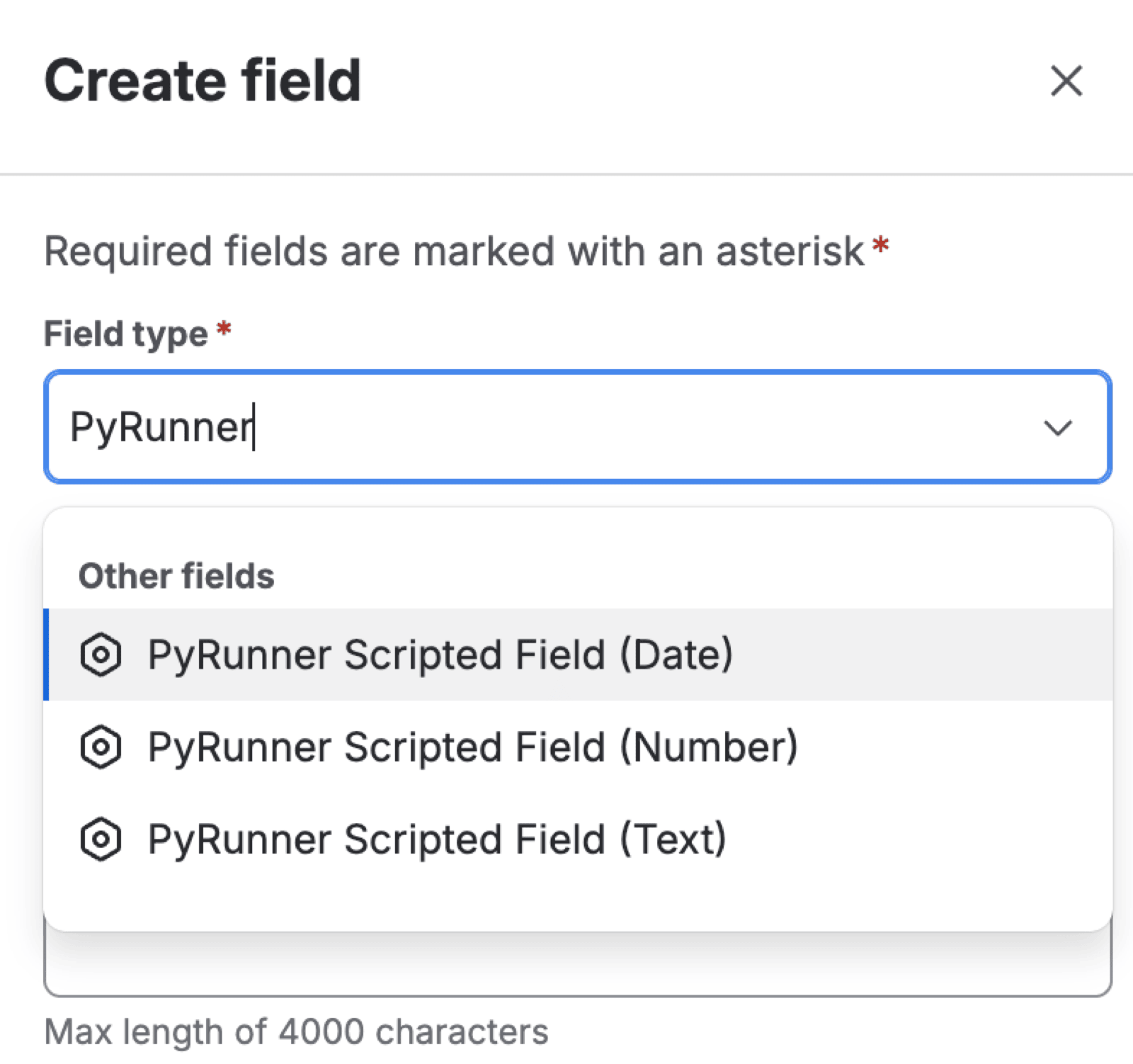
Searching for the PyRunner types
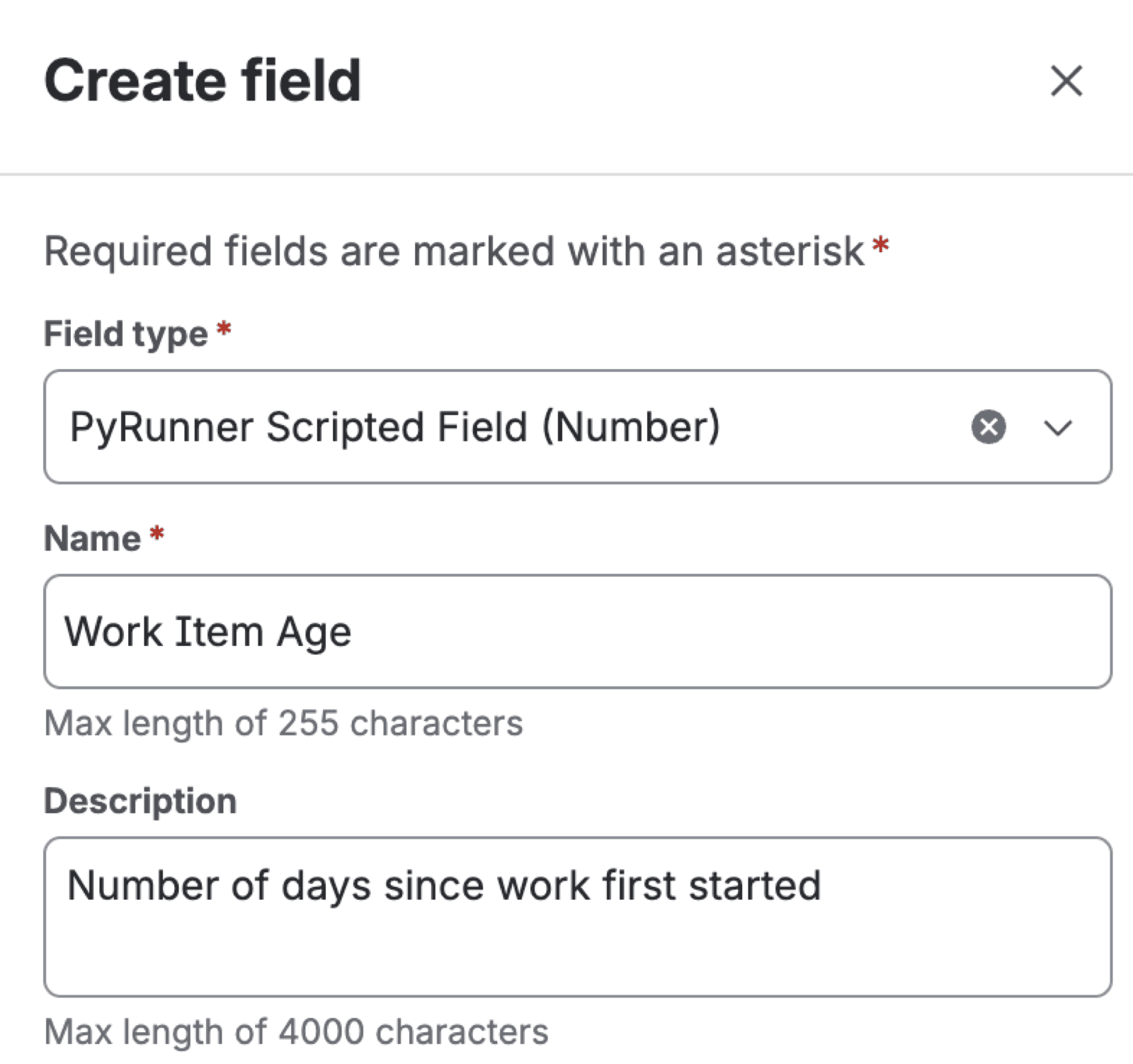
Naming the field
These three are the only types that work, because Jira needs to know the field belongs to us before it will let a script fill it in. The form has a Create field in Jira button that opens the right admin page, and any new field you make there appears in the picker without needing a page refresh.
Before you come back to PyRunner, add the field to at least one space and to the screens you want it on.
Jira hides an unassociated field from the field list PyRunner reads, so until you add the field to at least one space and one screen the field simply won't appear in PyRunner. The field still shows up in Jira's own settings, so it looks ready even though PyRunner can't see it yet.
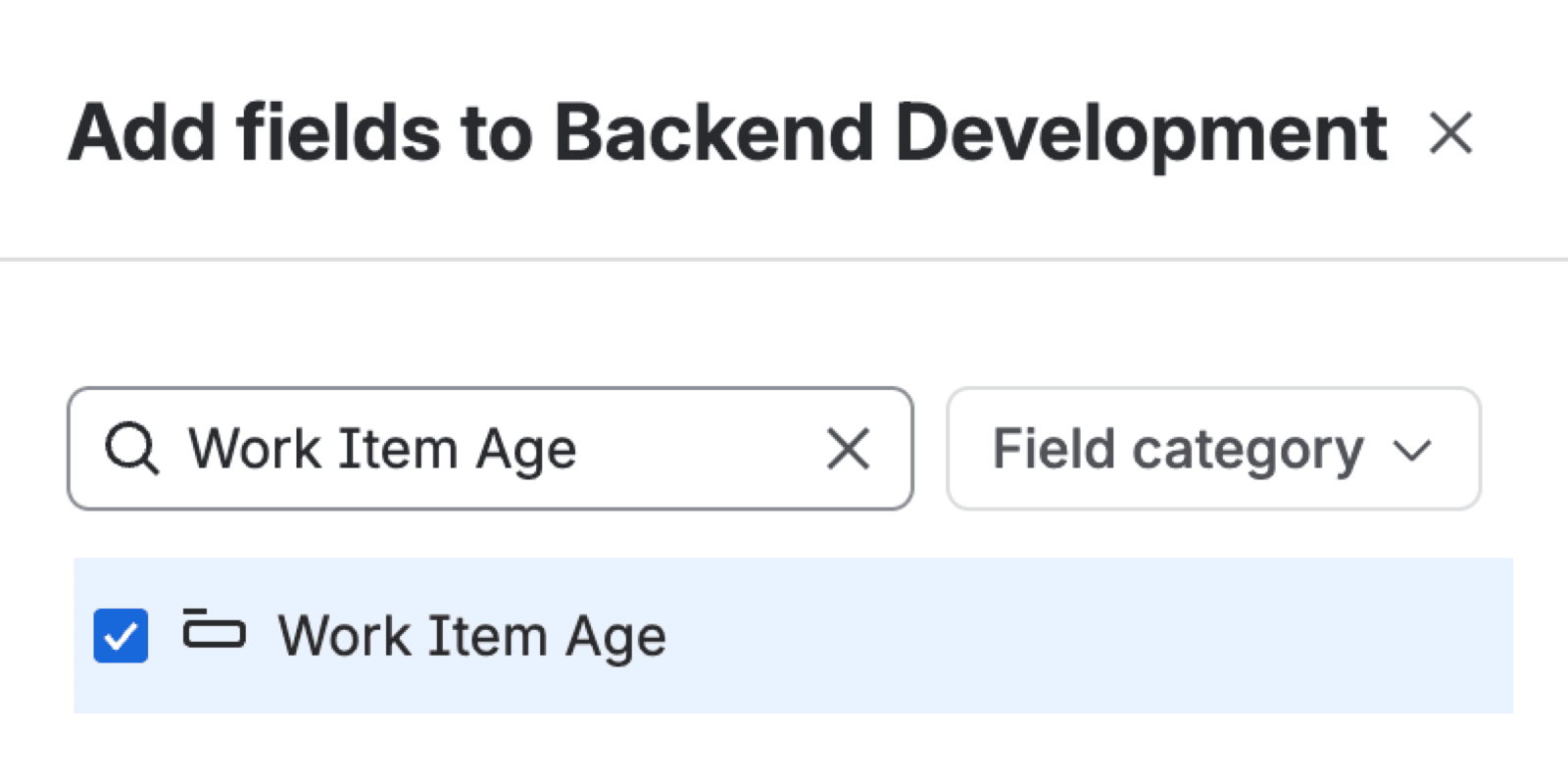
Adding the field to a space
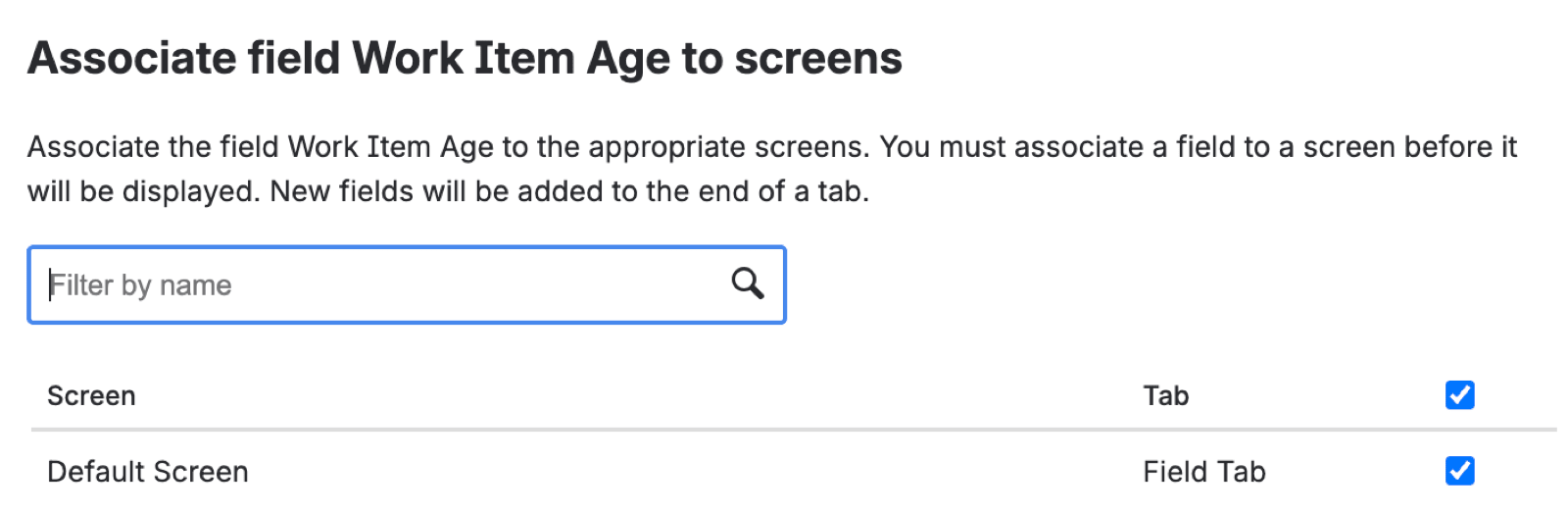
Adding the field to a screen
Creating a Scripted Field
With the field in place, New scripted field connects a script to it.
| Field | What it does |
|---|---|
| Description | A note to yourself about what it calculates |
| PyRunner field | The custom field you made in Jira |
| Spaces | Which spaces it calculates in |
| Script | The Python that works out the value |
Your script gets work_item, the work item being calculated. Set result to the value you want stored.
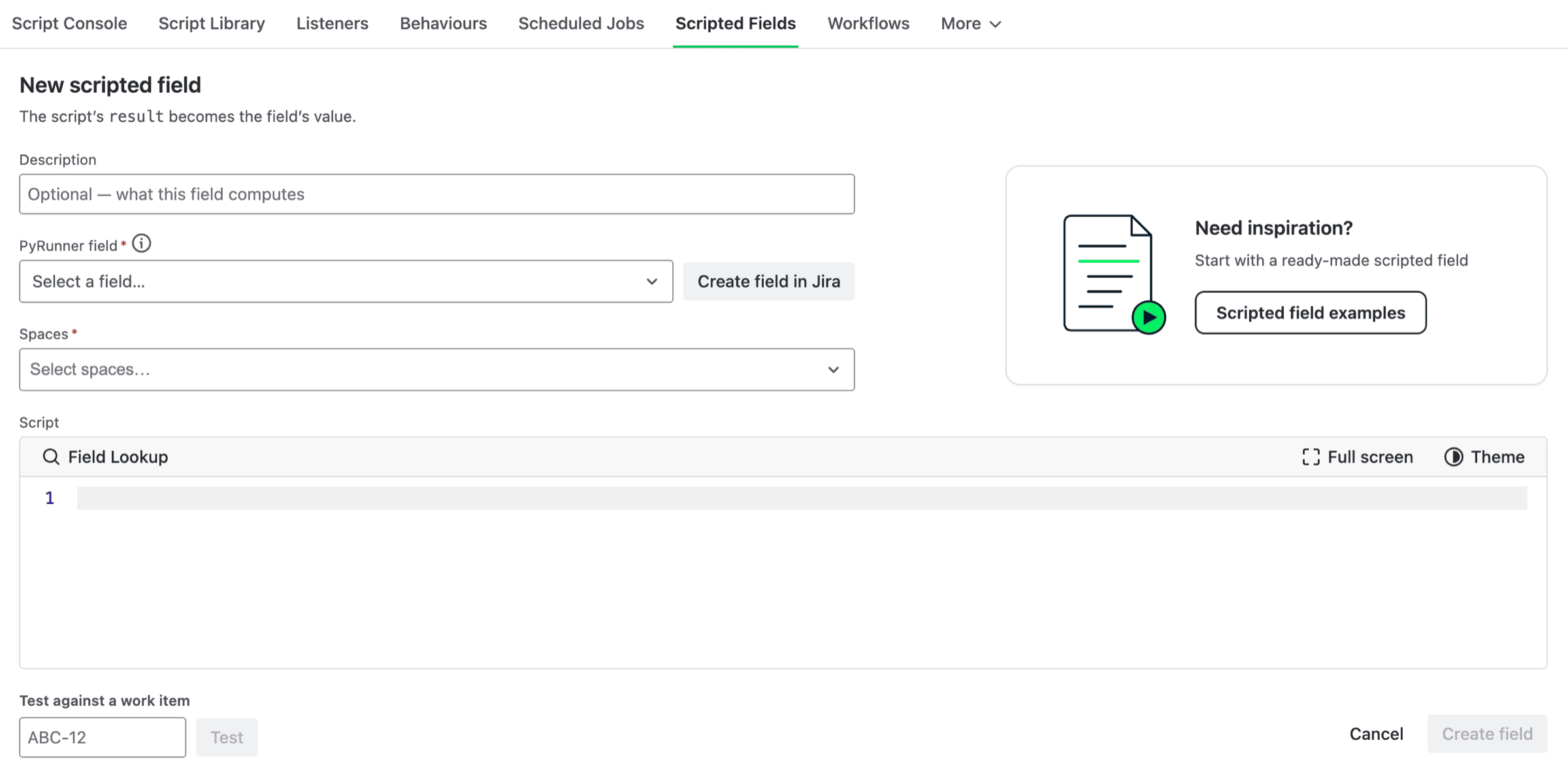
The New scripted field form
Make sure result matches the field's type. A Date field whose script returns a number fails on every work item it touches, so the type you picked in Jira decides what your script has to produce.
Test against a work item at the bottom of the form takes a work item key and shows the value your script would store, without saving anything. The preview allows a script less time than a saved field gets, so a slow one that can't finish here may still be fine once saved.
Choose Spaces deliberately. A field calculating across every space does considerably more work than one scoped to the spaces that need it.
When Values Are Calculated
Two things trigger a recalculation. The first is a change to the work item: someone edits a field, adds a comment, logs work, etc. The second is someone opening the work item, which refreshes the value in the background while they read it.
So a work item that people are actively using stays current. A work item nobody has touched or opened keeps whatever value it had when it was last calculated.
Opening a work item refreshes the value in the background rather than in front of you, so the figure on screen is the one from before you opened it. Reload the work item to see what the refresh worked out. Repeat views are pooled, so a work item several people are watching recalculates once every couple of minutes rather than once per view.
Note: A new scripted field starts empty on work items that already exist. Each one gets its value the first time it changes or somebody opens it. Your field will look mostly blank on day one, and fill in as people work.
Limitations
Worth understanding before you build something important on a scripted field. Jira Cloud doesn't let an app recalculate every work item on a site whenever it likes, so values update only at the two moments described above and at no other time. If you've used scripted fields in Jira Data Center, the Cloud version is meaningfully more constrained.
So assume a scripted field isn't up to date on every work item at once. A field that reads only the work item it sits on is the reliable case, because the edits that change its value are the same edits that recalculate it. Anything else drifts: an age or a days-since figure goes stale as time passes without the work item changing, and a total rolled up from children won't notice a child being edited.
One smaller limit. A script has 30 seconds to produce a value, which is plenty for reading the work item but not for large searches.
Note: A scripted field's value can be stale. If you need it up to date, use the Script Console or a listener instead.
Example
Jira records when a work item's status changed but never how long it has been in flight, so there's no way to sort a board by what's been running longest. Create a PyRunner Scripted Field (Number) in Jira, then create a scripted field using the script below.
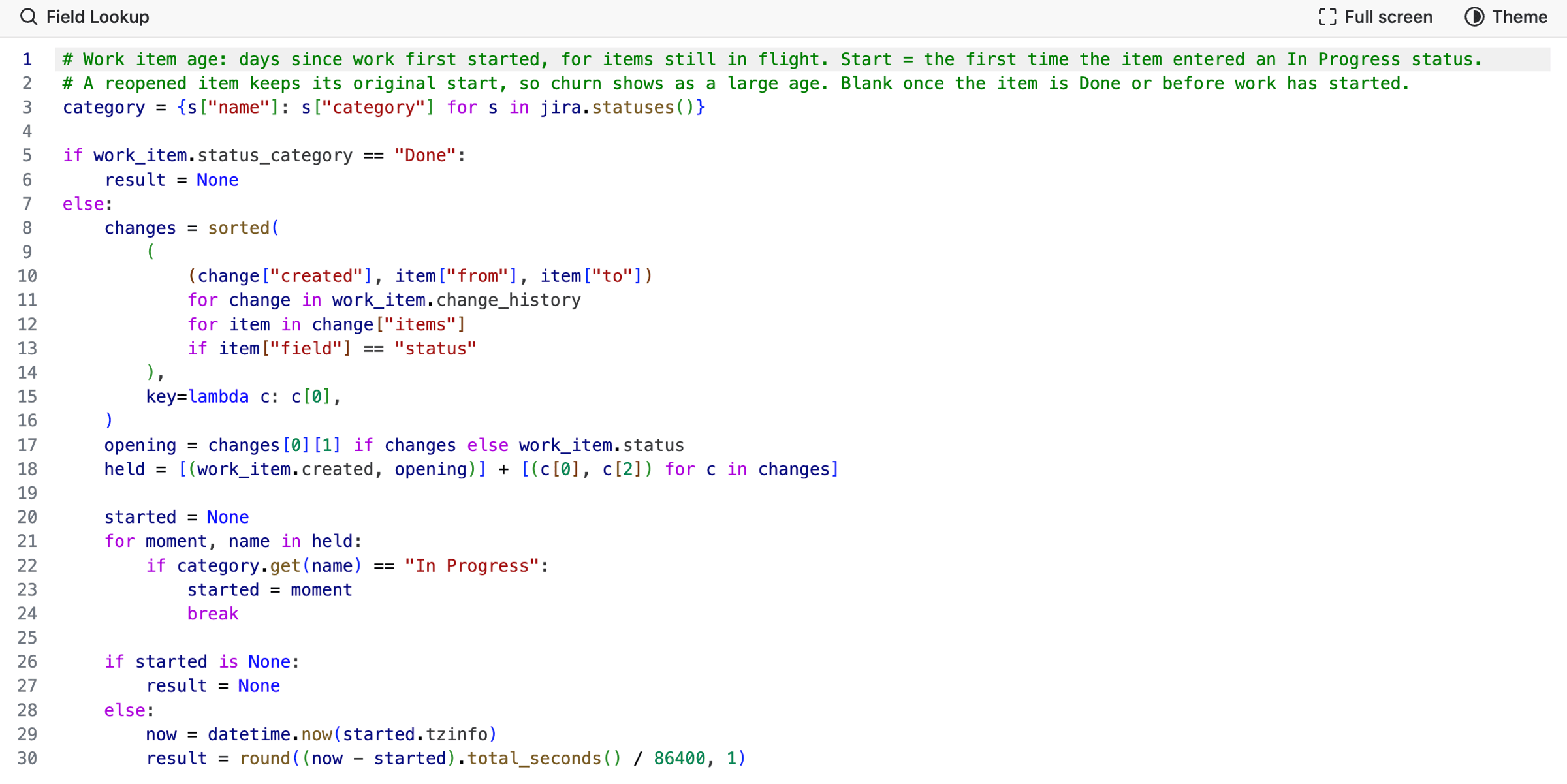
The script
The script rebuilds the status the work item held at each point in its history, then finds the first moment it entered anything your workflow treats as In Progress. It reads each status's category rather than matching names, so a workflow with its own status names still works, and adding one later doesn't quietly stop the field calculating.
Work that hasn't started yet, and work that's already done, both come back empty rather than zero. An age only means something while something is in flight, and leaving it blank keeps those rows out of the way when you sort a board by it. The script above triggered the work item update below.
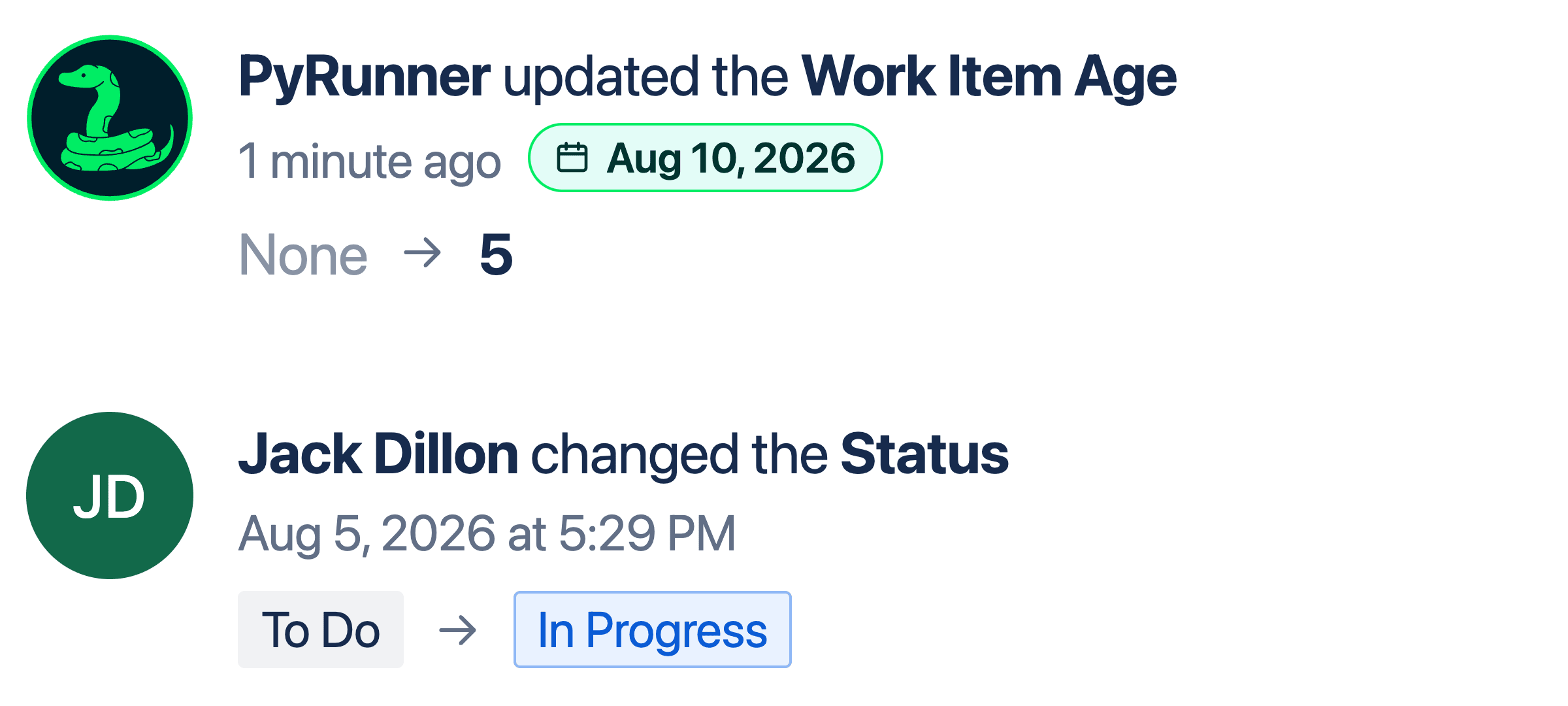
The value is a number of days: this item moved to In Progress on August 5th, so on August 10th the field reads 5, and it keeps climbing until the work is done.
Need Additional Help?
If you have any questions or need assistance, our support team is here to help